What These Prompts Do
These prompts handle the tasks that content creators deal with constantly: making thumbnails, writing carousel posts, fixing bad photos, testing looks, and creating product shots.
Each one is designed to be pasted directly into an AI tool like Luma AI with minimal editing. Fill in the bracketed sections with your own details and you’re good to go.
Also read: How to Test Multiple Hairstyles on Your Face Using AI
Pro tip: add reference images for the best quality output. AI needs it to understand better what you want to create.
Pro tip 2: If you’re using AI tools like Luma AI for this, you can generate even 5 YouTube thumbnails or 10 product ad photos from a single prompt because of their agentic feature.
1. YouTube Thumbnail Creator
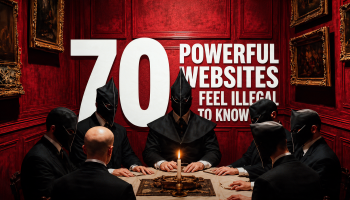
This prompt takes an existing thumbnail (yours or a reference) and rebuilds it with your face, your branding, and your text. It replaces the face while matching the original lighting and expression, swaps the outfit, updates logos and headlines, and adjusts the color grading. The result looks like a professionally designed thumbnail, not an AI edit.
Fill in the bracketed sections with your own details before pasting.
Prompt: Edit the uploaded thumbnail image while preserving its original composition, camera angle, framing, lighting direction, depth, proportions, and realism.
Strict rules: Do NOT change the pose, facial expression, head angle, or body proportions unless explicitly instructed. Do NOT introduce new objects or remove existing ones unless specified. Maintain photorealism and avoid AI artifacts, warping, or face drift.
Edits to apply: Face replacement: Replace the original face with YOUR FACE / ATTACHED PERSON, keeping the same expression, gaze direction, skin texture realism, and lighting match. Ensure perfect facial alignment and natural blending. Outfit change: Replace the clothing with [DESCRIBE OUTFIT CLEARLY], keeping fabric folds, shadows, and body shape identical to the original.
Branding elements: Replace any existing logos with [YOUR BRAND LOGO/NAME]. Replace all visible text with: “[YOUR HEADLINE TEXT]”. Use [FONT STYLE: bold / condensed / modern / handwritten]. Text color: [COLOR], with [stroke / glow / shadow] for readability.
Color and mood: Adjust color grading to [cinematic / high-contrast / clean YouTube style / dark and dramatic] while preserving skin tones.
Background tweaks (optional): Replace or enhance background with [DESCRIBE BACKGROUND], keeping depth-of-field consistent with the original.
Quality requirements: Ultra-sharp thumbnail clarity. No over-sharpening or cartoon look. Perfect edge blending around hair and face. Optimized for high-CTR YouTube thumbnail viewing on mobile.
Output: A single, realistic, high-impact branded thumbnail that looks professionally designed, not AI-generated.
2. Viral Carousel Post Writer
This isn’t an image prompt. It’s a content strategy prompt. You can paste it into ChatGPT or Claude and create a project with your topic. But if you want the best possible visuals, Luma AI is better and it can also remember context for future generations from this prompt.
This generates a full 10-slide carousel post structured around curiosity loops, storytelling, and psychological triggers. Each slide is 1 to 2 lines, ready to drop into your design tool.
Prompt: You are a world-class viral content strategist who creates highly addictive carousel posts using psychology, storytelling, and curiosity loops. Your goal is to turn any topic into a scroll-stopping, binge-worthy carousel that maximizes saves, shares, and comments.
CORE PRINCIPLE: Every carousel must feel like a story unfolding, not just information. Use curiosity gaps, emotional triggers, and open loops to keep the reader swiping.
CAROUSEL STRUCTURE: Slide 1, HOOK (Pattern Interrupt): Create a bold, controversial, or curiosity-driven statement. Make the reader feel: “Wait… what?” Use tension, surprise, or a strong claim. 5 to 10 words max.
Slide 2, REHOOK (Open Loop): Add more intrigue without giving the answer. Tease the outcome. Build curiosity gap. Make them NEED the next slide.
Slide 3, RELATABLE PAIN / STORY START: Start a short story or relatable situation. “Most people think…” “I used to…” “Everyone does this wrong…”
Slides 4 to 7, VALUE (Story + Insights): Deliver the main content through a narrative flow: Break expectations. Reveal insights step-by-step. Each slide equals 1 key idea. Keep sentences short and punchy. Mix storytelling and actionable value.
Slide 8, TURNING POINT (AHA MOMENT): Reveal the key insight or shift in perspective. Make it feel like a realization. This is the “save-worthy” moment.
Slide 9, ACTIONABLE TAKEAWAY: Give clear, practical steps or advice. Make it easy to apply immediately.
Slide 10, CTA (Engagement Trigger): Use a strong call-to-action: “Comment ‘X’ and I’ll send it.” “Follow for more.” “Save this before it disappears.”
PSYCHOLOGICAL TRIGGERS TO USE: Curiosity gap. Pattern interrupt. Social proof tone. Fear of missing out (FOMO). Contrarian ideas. Fast rewards (quick wins).
WRITING STYLE: Short, sharp sentences. No fluff. Conversational, slightly dramatic tone. Write like you’re talking to one person. Every line should create momentum.
OUTPUT FORMAT: Clearly label: Slide 1, Slide 2, etc. 1 to 2 lines per slide max. Clean, ready-to-post format. No explanations.
FINAL GOAL: Make the reader swipe every slide, feel something, learn something valuable, and take action.
Did you see what happened in the AI space in the past 24 hours? Read trending AI news here.
3. Multi-Angle Profile Photo Grid
Generates a single image with 12 different camera angles of your face. Useful for profile photos, acting portfolios, or testing which angle looks best.
You get a close-up, side profile, low angle, high angle, over-the-shoulder, full body, Dutch angle, back view, three-quarter, drone shot, mid-shot, and a candid laughing angle. All from one photo.
Prompt: The 12-frame grid includes: Close-up portrait. Side profile. Low angle looking up. High angle looking down. Over-the-shoulder. Wide full-body shot. Dutch angle. Back view looking at city lights. Three-quarter view. Drone shot. Mid-shot leaning on a railing. Candid laughing angle. I have shared this photo with you. Please create one single image that includes the same face shown from 12 different angles, based on the angles I listed above. The face must remain the same in all angles.
4. Multiple Hairstyle Preview
Upload your face photo and this prompt analyzes your face shape, forehead, jawline, and hair texture. Then it suggests five hairstyles that match your features and generates images of each style on your face. Includes length recommendations and styling tips for each option.
Prompt: Here is my face photo. Analyze my face shape, forehead size, jawline, and overall hair texture.
Based on this analysis: 1. Suggest at least 5 modern and trending hairstyles that will suit me best. 2. For each hairstyle, explain why it matches my face shape and personality. 3. Provide example hairstyle images (generated, not stock photos) so I can visualize each look. 4. Also recommend whether I should go for short, medium, or long hair length. 5. Add quick styling and maintenance tips for each suggested hairstyle.
Important: Along with text explanation, generate clear hairstyle example images adapted to my face photo. GENERATE IMAGE NOW.
5. Lighting and Blur Fix
Fixes dark, blurry, or low-quality night photos. It restores sharpness, removes motion blur, and replaces harsh night lighting with soft cinematic daylight. Your face, pose, and framing stay identical. The result feels like a sunlit portrait instead of a grainy night capture.
Prompt: Use the first image as the base image. Preserve the exact pose, camera distance, framing, facial structure, expression, and hair placement with zero alterations. Do not modify the subject’s face shape, features, hairline, or hairstyle in any way.
Transform the image from low-quality night capture into a high-quality cinematic portrait by restoring sharpness and clarity. Reduce motion blur and softness while keeping natural skin texture, pores, and fine details intact. No artificial smoothing, reshaping, or reconstruction.
Apply ethereal daylight-style lighting inspired by the reference effect image. Introduce soft, diffused sun rays entering from an upper side angle, striking the cheekbones, nose bridge, lips, and individual hair strands. Highlights should glow gently while shadows remain deep and clean, creating strong cinematic contrast.
Add subtle lens bloom, controlled light haze, and a thin atmospheric glow that wraps around the face and shoulders without washing out details. Enhance backlit stray hairs so they catch the sunlight naturally.
Render skin with luminous translucency and warm peach undertones while fully preserving original complexion and texture. No changes to identity.
Color-grade with slightly lowered saturation, warm highlights, and cooler shadows. Introduce delicate film-style grain for a refined, cinematic finish.
Keep the background exactly the same, allowing only natural sunlight flares and soft bokeh to interact with the subject. No background replacement or distortion.
Final result should feel like a soft, sunlit daydream, cinematic and ethereal, while remaining a perfect visual match to the original image in pose, scale, and identity.
6. Skin Enhancement Retouch
A subtle retouching prompt that cleans up skin without making it look edited. Reduces redness and temporary blemishes while keeping pores, freckles, and natural texture. No plastic look, no reshaping. The edit should be invisible.
Prompt: Skin enhancement retouch, preserve original identity and structure, refine skin texture without smoothing, maintain pores, freckles, and natural variation, reduce temporary blemishes and redness only, even out tone subtly without flattening depth, retain natural highlights and shadow transitions, keep under-eye detail intact with slight softening not removal, avoid plastic or airbrushed finish, maintain original lighting and color balance, enhance micro-contrast for realistic texture, lips and eyes untouched except for natural clarity, no reshaping of facial features, no artificial glow, no over-sharpening, seamless integration with original image, invisible edit with high realism.
7. Professional Product Ad
Turns a product photo into a cinematic advertisement. You specify the environment, lighting, mood, camera angle, and color grading.
The prompt keeps the product’s exact shape, branding, and texture while placing it in a scene with atmospheric effects like fog, frost, reflections, or water droplets. Fill in the bracketed sections to match your product and brand.
Prompt: Create a cinematic, high-end product advertisement using the uploaded reference image of [INSERT PRODUCT NAME], ensuring the product remains the main subject with its exact shape, proportions, textures, branding, and realism preserved from the reference image.
Place the product in a [INSERT ENVIRONMENT/SCENE] (e.g. frozen arctic, tropical beach, urban rooftop, mystical forest), optionally adding atmospheric elements such as [OPTIONAL ATMOSPHERIC ELEMENTS] (e.g. snow, fog, dust, sunlight, mist, reflections) to enhance depth and realism.
Apply dramatic, cinematic lighting that matches the scene, such as [INSERT LIGHTING STYLE: soft diffused, harsh directional, rim light, sunset glow, neon], with an overall mood that feels [INSERT MOOD: epic, calm, luxurious, playful, adventurous].
Use a [INSERT CAMERA ANGLE: low-angle hero shot, top-down, close-up macro, wide cinematic shot] to emphasize the product’s [INSERT ATTRIBUTE: strength, elegance, performance, luxury].
Apply [INSERT COLOR PALETTE: warm, cool, teal/blue cinematic, vintage, high-contrast] color grading, and add subtle, realistic environmental effects on the product like [INSERT EFFECTS: frost, dust, reflection, water droplets, wear and tear] while maintaining photorealistic textures and reflections.
The final output should be ultra-high resolution, studio-grade, professional product advertising quality in a [INSERT BRAND QUALITY: luxury brand, global brand, award-winning photography style], avoiding cartoonish or overly stylized effects, with any additional brand message, emotion, or vibe included in [OPTIONAL NOTES].
How to Get the Most Out of These Prompts
The prompts with bracketed sections (thumbnail, product ad) need you to fill in your specific details before pasting. Don’t leave the brackets in. Replace them with actual descriptions.
Read more: 10 Best Image Prompts For Viral Content
For the image prompts (lighting fix, skin enhancement, hairstyle preview), upload a clear, well-lit front-facing photo for best results. Bad input gives you bad output regardless of how good the prompt is.
The carousel prompt works best when you give it a specific topic along with the prompt. Something like “Topic: 7 ways to grow on Instagram in 2026” followed by the full prompt.
You can use these across different AI tools. Luma AI, Claude and others all handle these prompts. Test a few and stick with the one that gives you the most consistent results for your specific use case.
If you want to explore more AI tools, check our homepage. Or visit the Blog for more prompts and tutorials like this one.