These three prompts analyze you. Not your work, not your content. You. The first reads your palm. The second rates your face. The third gives you a full style breakdown based on your actual features.
All three generate clean, visual reports that look expensive and all of them were done with new the ChatGPT image model.
Also read: 7 AI Tools That Took Me To $20,000 A Month
Upload a photo, paste the prompt, and see what comes back. Fair warning: the results are surprisingly accurate.
Prompt 1: Palm Reading
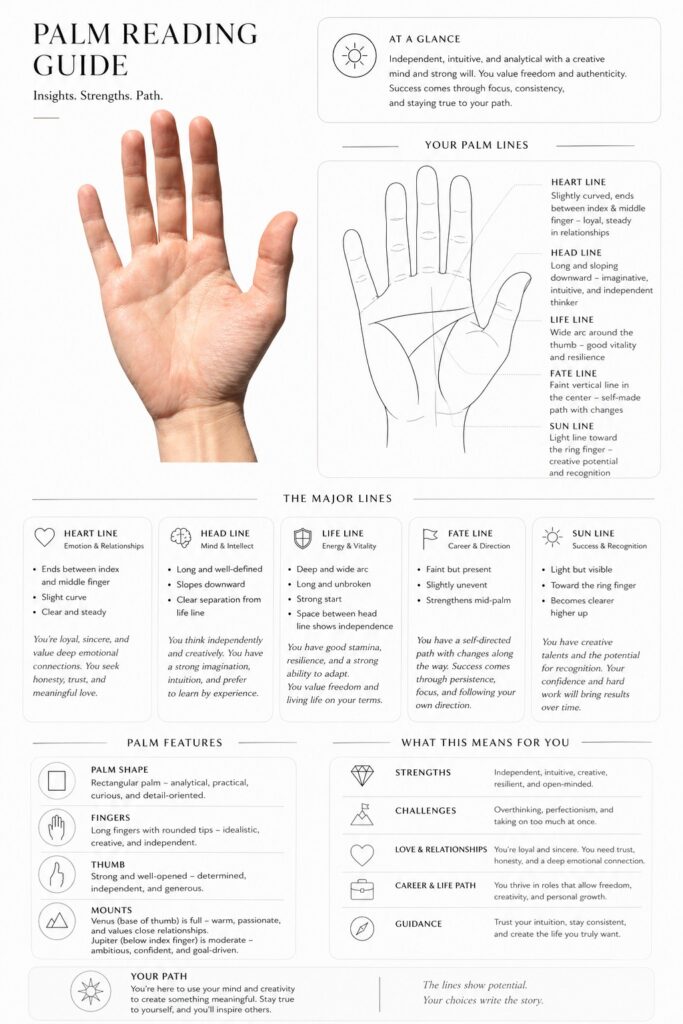
Upload a clear, well-lit photo of your open palm. The AI analyzes every line and generates a full palm reading guide. It also creates a simple black-on-white contour drawing of your main lines as a small artwork.
The output looks like a premium report with clean design, thin lines, and rounded cards. Not the kind of palm reading you’d get at a carnival. More like something you’d see in a luxury wellness magazine.
Prompt: I want you to make a complete palm reading guide. Analyze the palm. The style of the guide should be clean and minimal, thin lines, rounded cards, overall very expensive looking. Focus on the palm reading. Create a simple black on white contour of my main lines, as a little artwork. Do your best.
Prompt 2: Face Rating
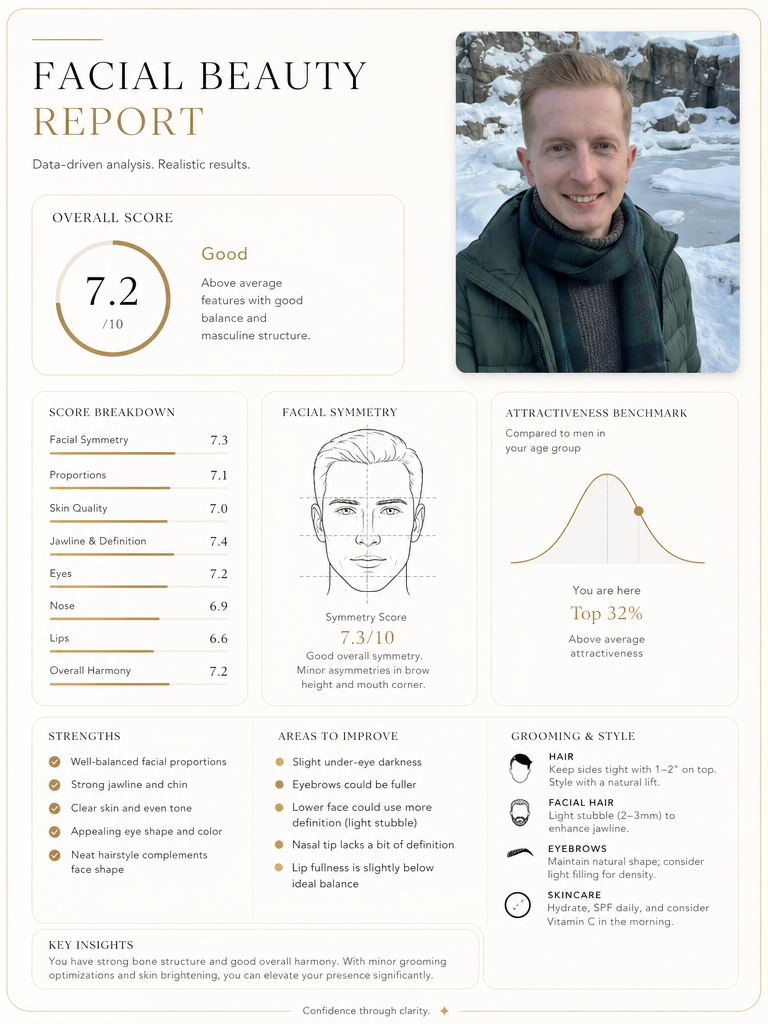
This one is honest. Upload a photo of your face and the AI generates a facial beauty report. It scores your symmetry, proportions, bone structure, skin quality, and overall attractiveness. It also lists your strengths, areas for improvement, and practical grooming and style recommendations.
The design matches the same premium look: fine lines, rounded cards, data-driven layout. It’s not trying to flatter you. It gives you a real, straightforward analysis.
Prompt: Create a clean, minimalist, high-end facial beauty report based on this photo. Use a design with fine lines, cards featuring rounded edges, and a luxurious aesthetic. Include a simple drawing of the facial contour, an honest analysis of attractiveness (symmetry, proportions, bone structure, skin, etc.), clear scores, strengths, areas for improvement, and practical grooming/style recommendations. Maintain a data-driven approach, visually refined, and without being excessively flattering.
Prompt 3: Color, Hairstyle, and Makeup Analysis
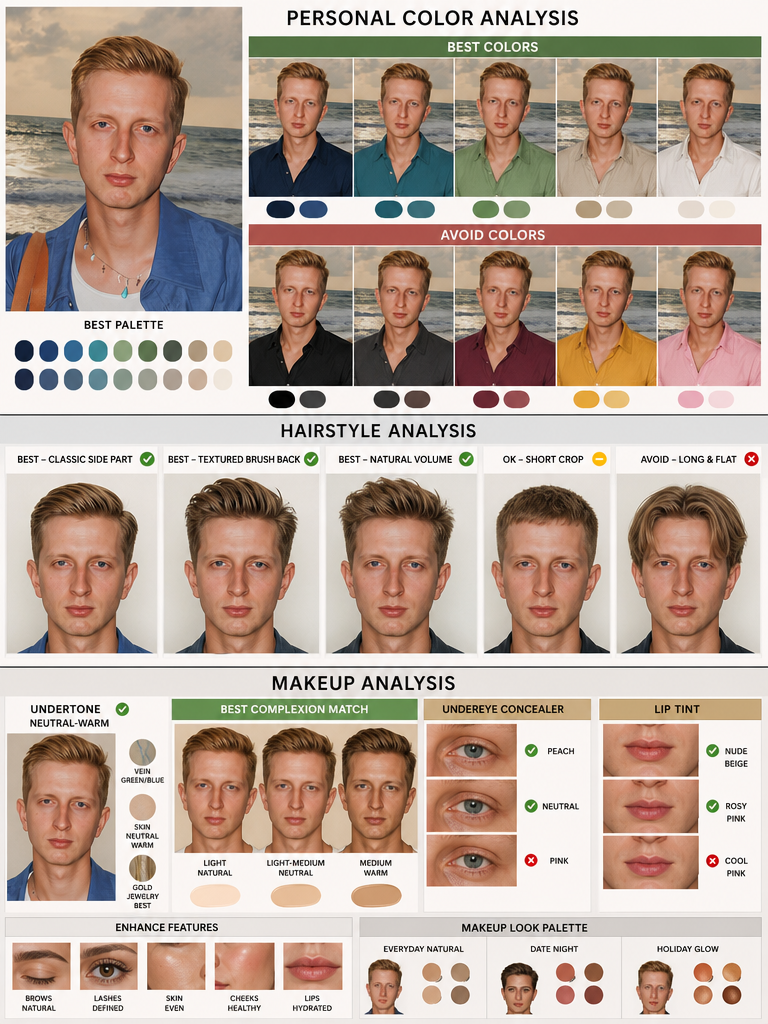
This is actually three prompts in one. Together they give you a complete glow-up plan based on your actual face. Each one generates a visual comparison graphic, not paragraphs of text.
Color analysis prompt: Create a personal color analysis graphic using this portrait. Show side-by-side clothing color comparisons to highlight which colors suit the subject best. Make it visual-first, with short labels only and no paragraphs.
Hairstyle analysis prompt: Create a hairstyle analysis graphic using this portrait. Show side-by-side hairstyle comparisons to highlight which hairstyles suit the subject best. Make it visual-first, with short labels only and no paragraphs.
Makeup analysis prompt: Create a visual makeup analysis graphic using this portrait. Feature side-by-side comparisons to determine which makeup best suits the subject, and showcase their skin undertone. The graphic should be visual-first, using only short labels with no paragraphs.
You can paste all three together in one message or run them one at a time. Running them together usually gives you a more cohesive set of visuals since the AI keeps the same design style throughout.
Tips for Better Results
For the palm reading, use a photo with your hand fully open, fingers slightly spread, and strong lighting so the lines are clearly visible. A dark or blurry palm photo won’t give the AI enough detail.
Read more: 7 Content Creation Prompts Everybody Should Know
For the face rating and style analysis, use a front-facing photo with natural lighting and a neutral expression. No sunglasses, no heavy filters. The AI needs to see your actual features to give useful results.
If the design of the output isn’t as clean as you want, add “make it look like a high-end infographic” or “use a luxury editorial design style” to the end of any prompt. This pushes the visual quality up.
These prompts all work in ChatGPT with image generation enabled. You can also test them in other AI tools that support image analysis and generation.
If you want to explore more AI tools, check our homepage. Or visit the Blog for more prompts and tutorials like this one.