What You’re Making
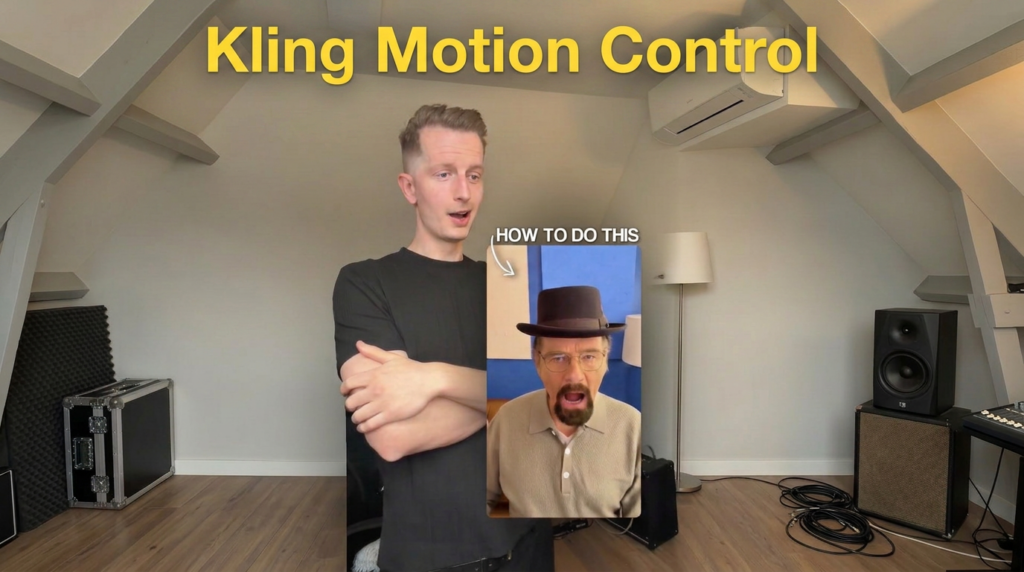
This method lets you create a video of two different characters talking to each other. Each character is generated separately as an image, then turned into a video clip with realistic talking motion. You edit them together in any video editor to create a conversation scene.
Also read: 7 New AI Tools That Will Save You Hours of Work
The result looks like two people filmed separately, each talking directly to camera, cut together like a dialogue. The AI handles the face, the expressions, and the mouth movement. You just provide the reference images and the prompts.
The Steps
Step 1: Take a screenshot from your video. This is your reference frame. It gives the AI the pose, camera angle, and framing to work from.
Step 2: Generate an image using your screenshot and the character prompt below. Use Nano Banana 2 as the model. This creates the first character.
Step 3: Repeat the same process for the second character. Use a new screenshot (or the same one) and the second character prompt. Same model, same method.
Step 4: Generate both videos using Kling Motion Control. Upload each generated image and connect it with your original video so the motion transfers to the AI character. Kling Motion Control copies the movement from your video (head turns, mouth movement, gestures) and applies it to the generated image.
Step 5: Drop both video clips into any editing software and cut them together to match the pacing of a conversation. Adjust timing, add audio if needed, and export.
Character 1 Prompt
Subject: A realistic cinematic shot of a man standing in a narrow indoor corridor, facing the camera directly and pointing his finger toward the lens, with an intense, slightly angry expression as if scolding someone mid-speech. He has light skin, short neatly styled hair, and subtle stubble, maintaining a natural, expressive look.
Outfit: A grey textured long-sleeve polo shirt with buttons, identical style and fit throughout.
Background: An industrial corridor with a white painted brick wall on the left, exposed ceiling pipes including a red pipe, and a framed glass panel on the right wall. Same depth, same perspective.
Lighting and camera: Warm indoor lighting, slightly uneven, natural shadows. Camera angle is eye-level, close-up (chest to head), slight handheld feel.
Expression: Mouth open mid-speech, brows slightly furrowed, direct eye contact.
Style: Photorealistic, cinematic clarity, natural colors, no over-editing.
Character 2 Prompt
Subject: A realistic close-up shot of an older man (around 55 to 65 years old) sitting indoors, facing the camera directly with a slightly intense, mid-speech expression. He has light skin, a neatly trimmed dark goatee beard with some grey, and wears thin round eyeglasses. On his head, he is wearing a dark brown pork pie hat with a subtle band detail.
Outfit: A beige/light brown textured long-sleeve polo shirt with three white buttons, casual and slightly loose-fitting.
Background: A cozy indoor setting with a blue painted wall, featuring minimal wall art (light-colored rectangular panels). On the right side, there is a modern white table lamp with a cylindrical shade, softly lit. On the left side, part of a sofa with a cushion is visible.
Lighting and camera: Soft, warm indoor lighting, evenly illuminating the face with natural shadows. Camera angle is eye-level, medium close-up (chest to head), centered framing. Slight depth of field keeps the subject sharp while the background is softly blurred.
Expression: Mouth slightly open mid-talking, engaged and direct eye contact with the camera.
Style: Photorealistic, natural colors, no over-editing, cinematic clarity.
Why Kling Motion Control Matters Here
Regular AI video generation would animate the characters based on a text prompt. The problem is you can’t control the exact timing of when someone talks, pauses, or gestures. It’s random.
Kling Motion Control solves this. It takes your original video as a motion reference and transfers that movement to the AI-generated image. So if you recorded yourself talking for 8 seconds with specific pauses and hand movements, the AI character will do those same motions at the same timing.
This is what makes the conversation feel real. Both characters move naturally because they’re based on actual human motion, not AI-generated guesses.
Tips for Better Results
Make sure your reference screenshots have clear lighting and a visible face. If the screenshot is blurry or dark, the generated image will inherit those problems.
Read more: AI Trendz Affiliate Marketing Guide To Earn $5,000+ A Month
Keep the expressions in your prompts consistent with what the character is doing in the video. If your motion reference shows someone calmly talking, don’t prompt an angry shouting expression. The mismatch will look off.
When editing the clips together, match the pacing to a real conversation. One person talks, then cut to the other reacting or responding. Short pauses between cuts make it feel natural.
You can swap out the character descriptions for anyone. Change the age, outfit, background, and expression to fit whatever scene you’re building. The method stays the same.
If you want to explore more AI tools, check our homepage. Or visit the Blog for more prompts and tutorials like this one.